A single TDOC database can hold any number of projects or jobs, and all the associated information and documents. However it is not uncommon for a database to have to be moved depending on its use. Thus consideration should be given to what its content should be, and this should relate to its likely life. For a major project the following steps are typical:
The following four sequential steps are carried out in creating a database:
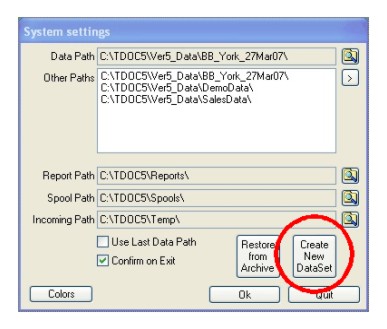
The creation of a database is initiated from the System Utilities module, by using the "Create New Dataset" button from the System Settings screen which appears when the module is started, or from the main menu using Application, Paths as long as no other window is open. The window is shown below:
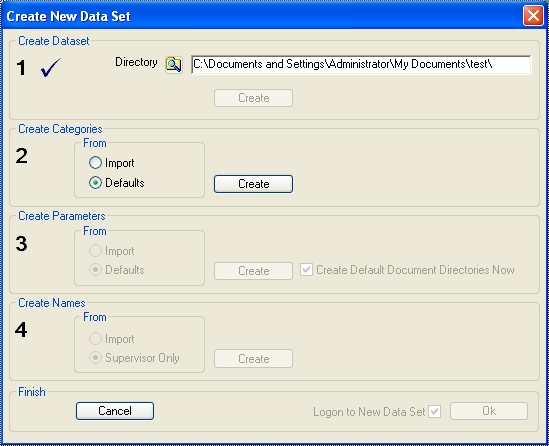
The Create Database screen is shown below, with the second step enabled after completion of the first step to create the database.
| Step | Comments |
| Select or Create Location | A standard windows dialog to select or create a new
directory is shown. Once a directory has been selected or created, the Create button causes the new database to be created. Checks are made to ensure that an existing database is not over written. Once the database has been created, the next step is enabled, and this step is disabled. |
| Setup Categories | Select whether to create Categories from the available
defaults or by importing from another database. If import is chosen, then a database must be located with a DOCPM.dbf file. Checks are made to ensure adequate categories are imported, and if not these are made up from the defaults. Once the categories have been created, the next step is enabled, and this step is disabled. |
| Setup Parameters | Select whether to create Parameters using the defaults
or by importing from another database. If import is chosen, then a database must be located with a DOCSY.dbf file. If a parameters does not exist, the default setting is used. Ensure that you uncheck the Create Default Directories if you do NOT wish to use the built in EDM functions. Once the parameters have been created, the next step is enabled, and this step is disabled. |
| Setup Names | Select whether to create just one default name or by
importing from another database. If import is chosen, then a database must be located with a DOCNM.dbf file. If a person without supervisory rights does not exist, a default one is added. Once the names have been created, the next step is enabled, and this step is disabled. A confirmation message specifying a Supervisor name reference and password will be displayed. 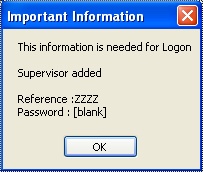 |
| Cancel | This not only cancels the database creation process but
also removes the created database and its directory. Either a confirmation message or an error message will be displayed. 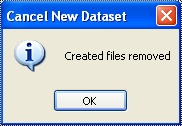 |
Should there be a problem with the removal, the
following is typical of the message displayed. The Error code shown is
the Operating System Error Code. Please see Microsoft Windows Manual
for detailed information.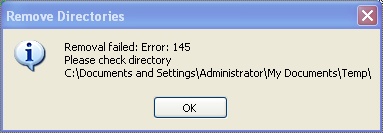 |
|
| Proceed | The choice to log onto the new database is set depending on whether some immediate changes are required. |